

How To Use Spotify anywhere With A VPN Service
Spotify is a music streaming service that it is likely to become highly popular soon. Spotify offers you legal and free access to a huge library of music. All you need to do is create an account and download our streaming music player.
Well, it turns out Spotify doesn’t actually care all that much about your physical location, just where your web traffic’s coming from. And, with the right virtual private network (VPN) service, your web traffic can appear to come from anywhere you want.
A VPN service acts as an invisible buffer between your computer and the internet. Though the experience of using the Internet is the same — if maybe a bit slower — all of your incoming and outgoing data is encrypted and routed through a private, secure gateway. If your gateway is in a foreign country, as far as the rest of the internet’s concerned, you’re in that foreign country too. When it comes to accessing content that’s geographically restricted by IP address (“geolocked” or “geoblocked”) like Spotify, that’s a wonderfully useful thing.
- Once you’re set up with a VPN provider, choose a Spotify-friendly gateway through which to route your traffic — London and Manchester, for example, are good options for Anglophones using VpnTraffic — and open up http://spotify.com/uk/ in your browser of choice. (If you find that you get any “Spotify isn’t supported in your country yet”-style messages, simply select a different gateway or port until you find one that works. It shouldn’t take more than a few minutes.)
- Click on “Get Spotify” link at the top of the page.
-
You’ll be presented with various subscription options. For the moment, select Get Spotify Open.
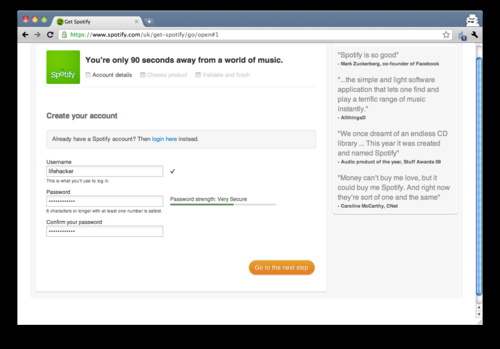
- Fill in the login credential forms and click on the big orange next-step button at the bottom of the screen.
- Spotify will now ask you for certain personal details. The service doesn’t require a valid email address, just a name, sex, birthdate and a real postcode from your pretend country of origin (try Google Maps!). When finished, make sure the relevant boxes are checked and click once again on the big orange button.
- When prompted, reaffirm that you’d like to sign up for Spotify Open and, for the last time, click on the orange button.
- Now that you’re signed up, Spotify will direct you to the correct download link for your operating system.

Signing In, Logging On
- Install and launch Spotify.
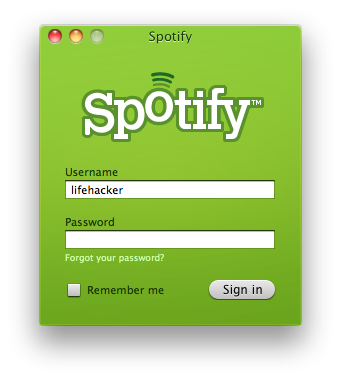
- Making sure that you’re still logged into the same VPN gateway you used to sign up for your account, enter your login information and log in. (As a general matter, you’ll want to be signed into the gateway any time you launch the app.)
- Once the Spotify is up and running, you’re good to go. You can shut off the VPN or hop over to a local, domestic gateway for improved speed.
- Because Spotify allows Spotify Open users a certain amount of “abroad” listening time, you needn’t fret about being detected or losing your account.
VpnTraffic-1 tap vpn for Android,35+ Countries servers.Fast and Stable!
VpnTraffic - Unblock your Internet, Bypass location-based blocks! Select a server location to connect to,40+ Countries VPN servers worldwide.Support pptp and l2tp/ipsec.
If you need Unblock all websites Including Facebook, Twitter, and more?
If you need Change your IP address?
If you need Watch BBC iPlayer from anywhere in the World?
If you need Watch Netflix Outside the US?
VpnTraffic features:
- 1 tap connect to our vpn server,Free setup!
- Save username/passwords,only need select a server location to connect to
- No bandwidth limitations
- Encrypts your internet traffic
- Unblock government and corporate restrictions,Bypass location-based blocks.
- Unlimited switches between VPN server locations (35+ Countries Around the world)
- Support pptp and l2tp/ipsec
- Works with wifi, 3G, GSM, and all mobile data carriers
What you need is a VPN account !
Before you make an order, you can Trial our VPN Service for 3 days.
• Only $1.99
• High Speed
• All country server

|
$5 Package = 1 Account = VPN servers of US, AU, UK, CA, RU, Italy, Japan, Korea, HK, etc.
1 Month/30 days
3 Months/90 days
One Year/365 days
|
|
|
Multi-VPN server package include:
|
 US
US  UK
UK  CA
CA 

 France


.gif "germany vpn") Germany
Germany 

 Ireland
 Romania

 Ukraine
 Korea
Korea  Hong Kong
 Philippines
 Thailand
  Indonesia
 China
China  Singapore
 Mexico
  United Arab Emirates
  Turkey

 Cyprus
 Argentina
  Chile
Chile 


 Kenya
Kenya